The AI coding agent you can undo.
alforria reads your repository, edits files and runs tools, asking first wherever your rules say to. In a Git repository every step is snapshotted, so a whole session can be put back.
curl -fsSL https://raw.githubusercontent.com/alforria-ai/alforria/main/packaging/ install.sh | sh 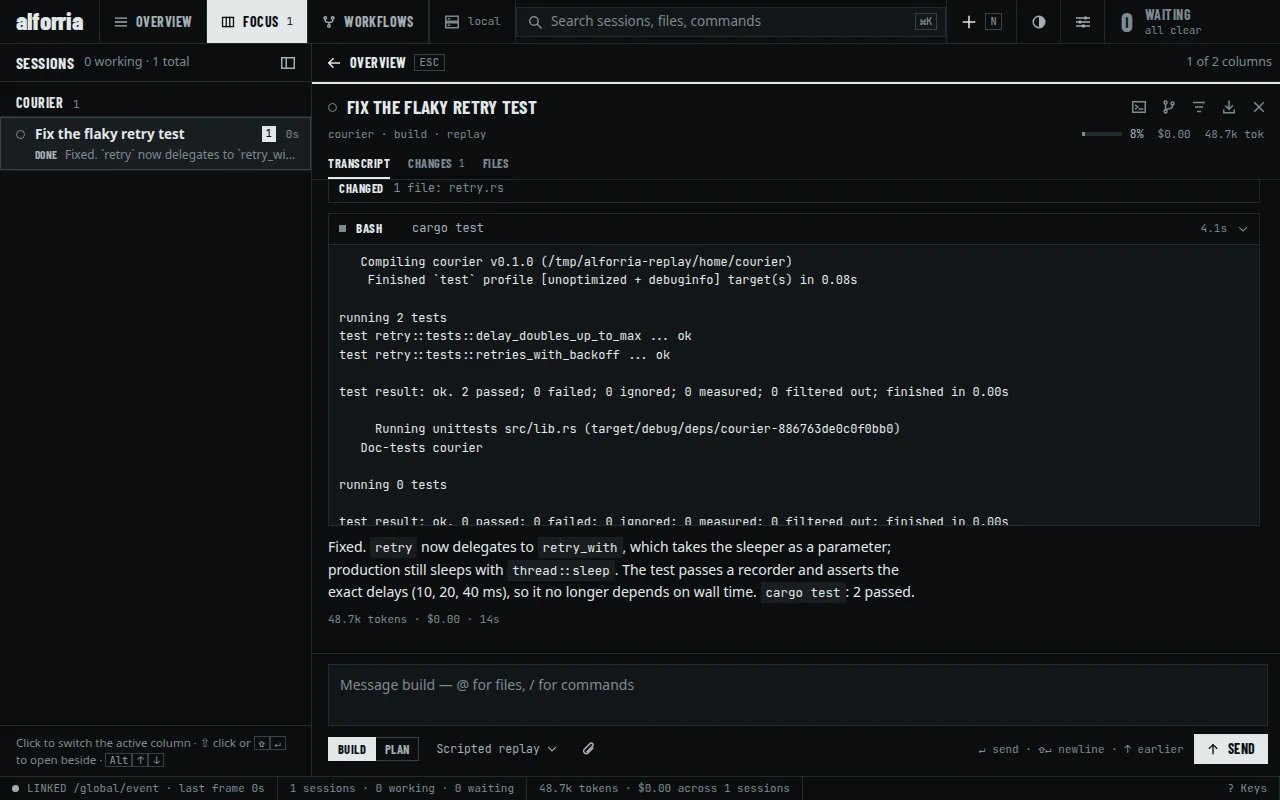
You set the rules. It asks when they say to.
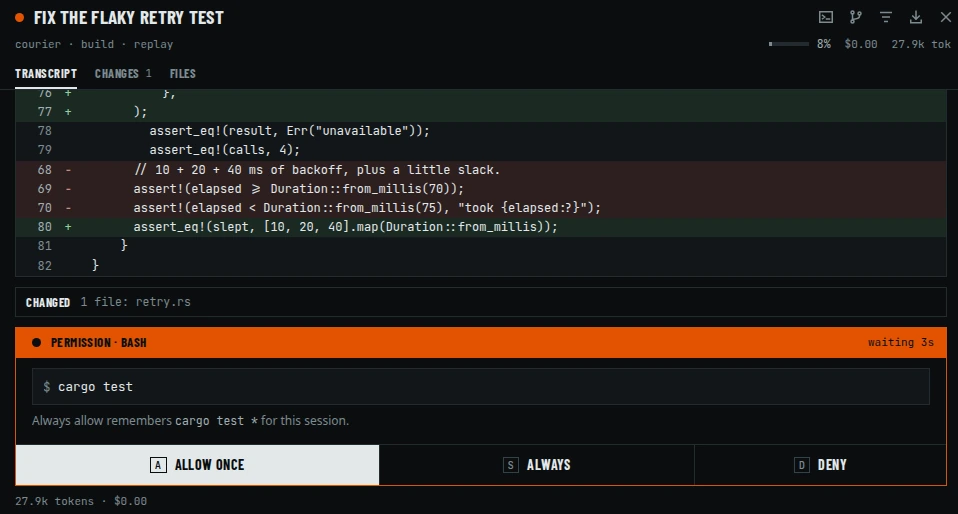
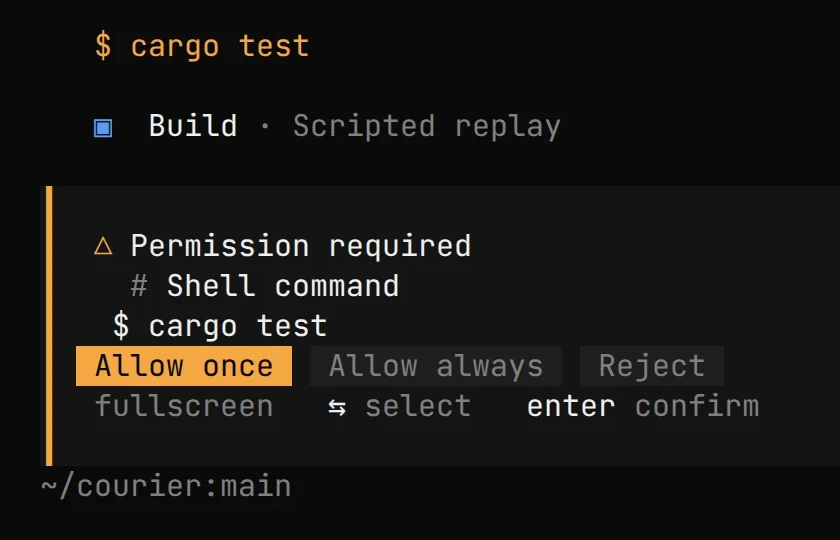
Every tool runs under a permission rule: allow, ask or deny, per tool and pattern. Out of the box almost everything is allowed. Anything you set to ask holds the session until someone answers, from the terminal UI, the web client or the API.
{
  "permission": {
    "edit": "allow",
    "bash": "ask",
    "webfetch": "deny"
  }
}
The project in the recording sets only "bash": "ask". Out of the box, bash and edit are allowed.
Runs this call. The next matching call asks again.
Runs it and allows its pattern (for
bash, the command prefix, likecargo test *) for this project until alforria restarts. Nothing is written to your config.Refuses the call and any other pending request in the session. With a message, the model reads it as feedback and keeps going; without one, the turn stops.
Three identical tool calls in a row trip a doom-loop gate that asks before the agent goes round again.
Every step is snapshotted. Every session can be undone.
In a Git repository, alforria records the tree at each step in a snapshot store of its own. Revert restores the files a session changed and leaves your history alone.
| Change | Step | Snapshot | src/retry.rs |
|---|---|---|---|
read src/retry.rs | 62772eb | original | |
grep "sleep" *.rs | 62772eb | original | |
edit src/retry.rs | 62772eb → ee89b24 | +22 −12 | |
bash cargo test allowed once, 2 passed | ee89b24 | +22 −12 | |
| Reply what changed and why | ee89b24 | +22 −12 | |
| Revert | ee89b24 → 62772eb | original |
Out of your history
Snapshots live in a Git directory of their own, so your commits and branches stay exactly as they were.
Honors your ignores
Snapshots follow
.gitignoreandinfo/exclude, and skip untracked files over 2 MiB.Undo from anywhere
Revert a session from the terminal UI, the web client or the HTTP API.
Yours to switch off
Set
snapshot: falseand alforria stops recording them.What it can't take back
Revert restores the project files a session changed. What a command did elsewhere, like a push or a database write, stays done.
One session. Every client.
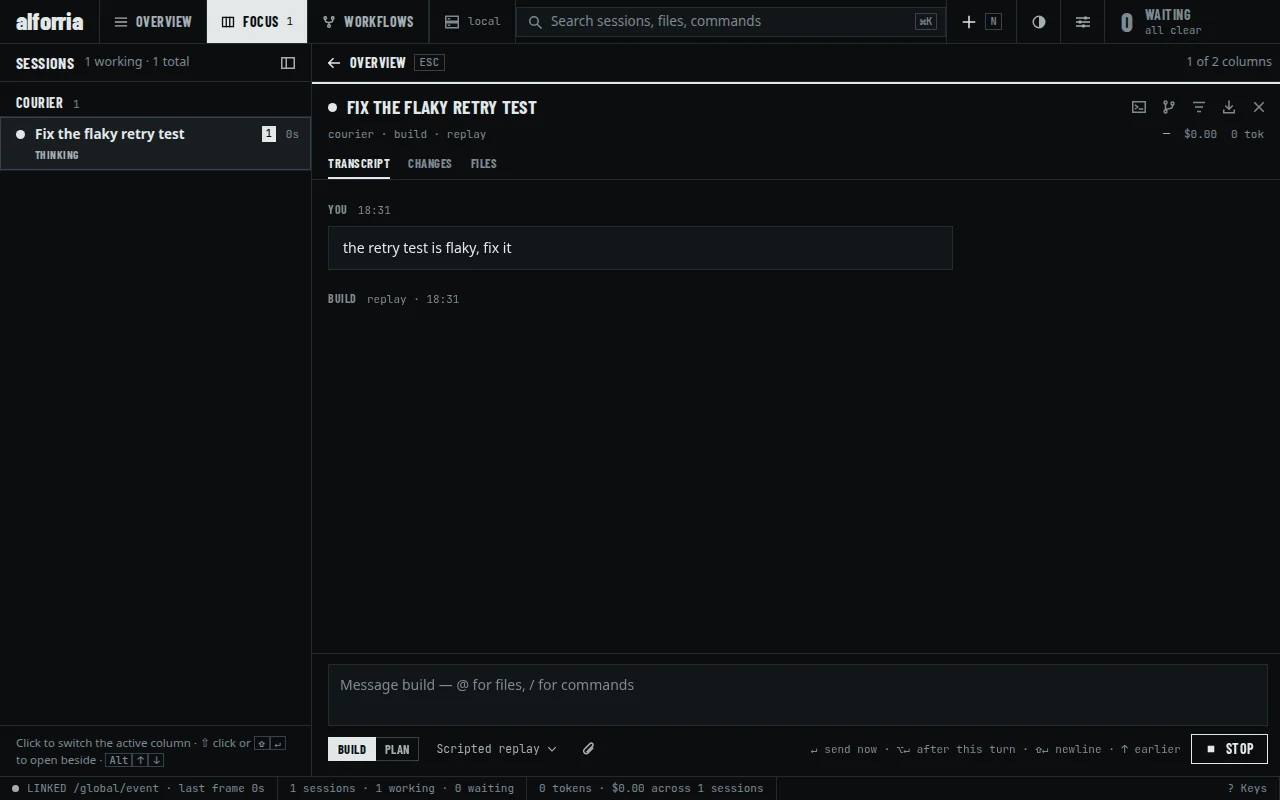
Run alforria serve, then attach the terminal UI, open the web client or script it over HTTP: they all watch the same session engine. In the recording, the permission request reached each of them at once.
$ curl -N -u alforria:$PASSWORD localhost:4096/global/event
# event payloads from the recording, trimmed
session.status        busy
message.part.updated  tool read src/retry.rs
file.edited           src/retry.rs
permission.asked      bash: cargo test
- Terminal UI
alforria - A keyboard-first ratatui interface with sessions, subagents, inline diffs, permission prompts,
@mentions for files and MCP resources, and 33 bundled themes. - Web client
alforria web - Embedded in the binary and served by the local server: a multi-session queue, worktrees, review comments on diffs, and the same permission prompts.
- Local server
alforria serve - v1 and v2 HTTP APIs, an SSE event stream, PTY websockets and OpenAPI documents.
servegenerates a password unless you set one.
Everything else is in the binary too.
Facts from the source repository, not benchmarks. Each row links to its specification.
- Tools14 built in, plus MCPShell, file reads and writes, edits and patches, search, subagents, web fetch and search, a plan list, questions, skills, and a fallback for invalid calls. MCP servers add more.
- Models6 protocol adaptersAnthropic Messages, Gemini, OpenAI Responses and OpenAI-compatible Chat, which carries LibertAI, are routed to providers. Bedrock Converse is implemented but not yet routed.
- SessionsSQLite, on your machineSubagents, compaction, permissions, token and cost accounting, Git-backed snapshots and revert.
- Serverv1 + v2 HTTP, SSEHTTP APIs, an SSE event stream, PTY websockets and OpenAPI documents.
alforria servegenerates a password unless you set one. - Terminal UI33 bundled themesPlus custom themes from JSON and a system theme read from your terminal's palette. Keyboard-first, with mouse selection and OSC 52 copy over SSH.
- Web clientembedded in the binary
alforria webstarts the server and opens the client, with nothing else to install. Set a password before you expose it. - Configopencode.jsonReads
opencode.json,opencode.jsoncand~/.config/opencode, with environment and file interpolation. A supported subset, checked against frozen fixtures.
Install alforria.
One line installs the latest release and verifies its published checksum. Then connect a provider and start a session. No Node.js or other runtime.
- Install
curl -fsSL https://raw.githubusercontent.com/ alforria-ai/ alforria/ main/ packaging/ install.sh | sh - Connect a provider
alforria auth login - List models
alforria models - Start a session
alforria
Prefer the browser? Run alforria web. For one non-interactive task, alforria run "…".